HiPStore, a well-known Installous alternative, developed by a Vietnamese team called Heaven iPhone has made a name for itself since the closing of Hackulous and Apptrackr.
For those of you who didn’t get a chance to know about any of these services, they both provide a good place for iOS users to download paid applications on their iPhone and iPad before making a final purchase from the Apple App Store. This is a great way to try costly apps and games first without losing a single penny.
Unfortunately, both Installous and Apptrackr was shut down in 2013 and that led to vShare, HiPStore, and AppCake competing to provide a similar solution.
I personally prefer HiPStore over the other because you can easily download cracked apps on iOS without a hassle. By that, I mean less annoying ads, easier installation process, and simpler interface.
What that being said, let’s go straight to the good piece of this tutorial.
How to Install HiPStore on iOS 9 Without Jailbreak
In the past, iPhone users choose to install HiPStore from third-party websites instead of the official site because for some reason they couldn’t get it working. iOSEmus and Emu4iOS were some of the most visited sites when it comes to this.
But HiPStore has been updated recently and now you can install it from the actual website without downloading additional app store.
- Open up your Safari browser
- Go to http://ios.hipstore.mobi/
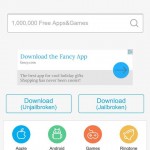
- Choose HiPStore 7 - 8 - 9
- When you see a popup, tap Install
- Once the app is done downloading, you can start using it.

In some cases, users will not be able to open HiPStore on their iOS 9 devices. Specifically, an error like Untrusted Enterprise Developer notification will display. This is totally normally and can be fixed right away by going to Settings > General > Profile.
Look for Vnity Software One Member Company Limited and tap on Trust. Now go back to your home screen and launch HiPStore.
Please be advised that we do not encourage our readers to use HiPStore as a way to just get premium applications from the App Store for free. Instead, only use this service if you are planning to buy a paid app but not sure if you should really do so and need a method to try it out first.
Leave a Reply