When I was a new iPhone user, I would often get the device stuck in recovery mode and don’t know what to do about it. This was a few years ago before I know anything about Jailbreak and all the other advanced skills.
I followed what was given to me on the screen, which is connecting my iPhone into iTunes and restore the iOS firmware from there. As little as I know, that process will completely destroy all my data including images, contacts, and applications. If I were smart enough I would make a backup of the device already but hey who knew when they would be stuck in recovery mode.
If this is currently you right now, don’t do what I did a few years back. There are ways that you can quickly get out of recovery mode without iTunes and losing your data.
In this post, you will get to know three popular tools that will get your device back up and running again.
What is Recovery Mode in iOS?
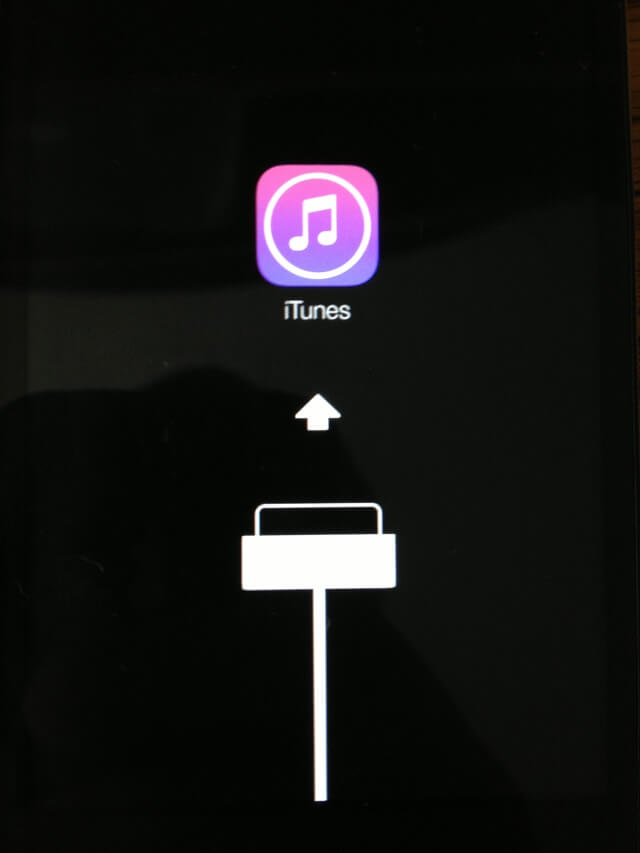
Before we actually get into the part where I show you all the utilities that could get your iPhone out of trouble at the moment, some readers might find the definition of recovery mode helpful and what to do in order to put their device into recovery mode.
According to one of our writer, if0uthxi0n, he describes:
One time i use iLexRat to restore my iPhone 5 to factory settings on iOS 8.4. It put my iPhone into recovery mode and indefinite boot loop. One day I was using Cydia Impactor on iOS 9.0.2 and my iPhone 6 went into recovery mode.
There could be different reasons why someone would be stuck in this mode, it could be that they interrupt an important upgrading process or purposely get into recovery mode but don’t know how to get out after.
For whatever reason that is, here are what you will need to get out of it.
RecBoot
RecBoot is a software known for getting iOS users out of recovery mode with an easy-to-use interface, supporting both Mac and Windows, and most importantly, it gets the job done.
This is a great tool for those of you have currently had a broken Home or Power buttons and can also put your device into recovery mode without making you perform steps that normal iPhone users usually do.
When you Recboot is installed, you will see two options. Enter Recovery Mode, which obviously puts your iPhone into recovery and Exit Recovery Mode which does the opposite.
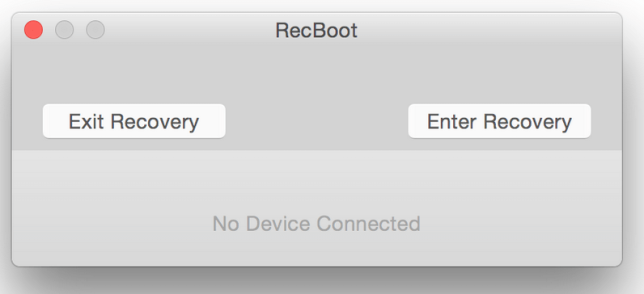
Furthermore, the latest version of RecBoot can also help you do the following:
- Fix iTunes 1015 restore error
- Pull up the information about your device
Be sure to download Libusb as this software require it.
- Download RecBoot v2.2 for Mac
- Download RecBoot v1.3 for Windows
ReiBoot
ReiBoot is one of my favorite tools when it comes to dealing with the device stuck in some situation where I’m required to connect the device to a computer and open iTunes. Not just recovery mode, but I may also put myself into the red iTunes logo, fail to complete a firmware update, and DFU mode or known as black screen.
Just like RecBoot, this utility has a simple interface and built-in with two clickable buttons.
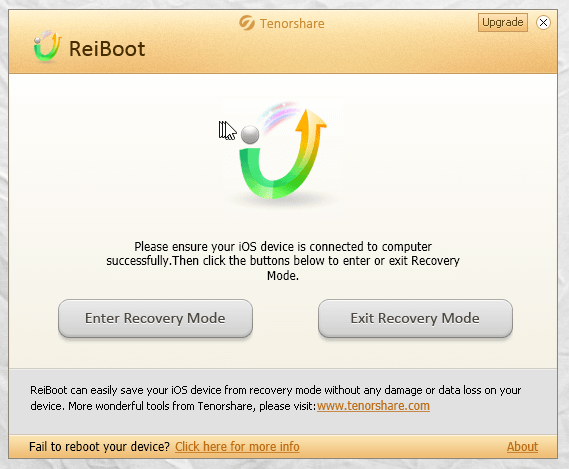
Here are a few more reasons as to why you should give ReiBoot a try:
- Apple logo displays with no progress bar
- iDevice restarts repeatedly but never displays the Home screen
- iTunes can’t recognize your iDevice after an update
- iPhone freezes or gets stuck during iOS 9 update
The software handle all of these errors really well and it works with both Windows and Mac operating system.
TinyUmbrella
TinyUmbrella, created by developer notcom, is a popular utility to save an iOS device’s SHSH blobs, extremely useful to downgrade later on. A lot of people didn’t know that there is a built-in option in this software that allows them to get out of recovery mode.
- Download the newest version of TinyUmbrella for your computer
- Connect the iPhone or iPad
- Launch TinyUmbrella and give it a few seconds to recognizes your iOS device
- Now click the visible Exit Recovery button on the top right-hand corner
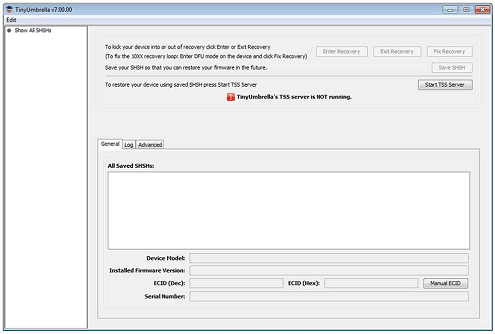
And that is how to simply make your device boot again.
Redsn0w
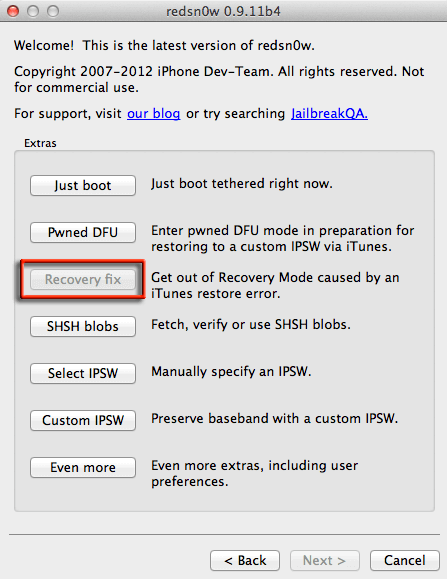
With all the iOS 8 and 9 jailbreak releases, you probably have already forgotten about Redsn0w, a popular jailbreak tool. Some of you may not even know what I’m talking about since you joined the game so late. But anyways, besides helping you jailbreak your iOS device, Redsn0w also provide a feature called Recovery fix.
This option will let you get out of the recovery loop caused by a restore error. I know a lot of us here have got into that before.
All you have to do is download Redsn0w utility, connect your iPhone or iPad to a computer, and go to Extras.
So those are all the available options to help you kick your iPhone, iPod touch, and iPad out of recovery mode, boot loop error, or generally any screen that get stuck during a jailbreak, upgrade, or downgrade process.
Excellent blog ! I had forgotten about RedsnOw, it seems like many years ago. In fact, I thought they were out of the business altogether. I wasn’t aware of the new tools available. Recently, in iOS 9.0.X jailbreaks, we’ve had the BLoD problem which many of you may be familiar with. I call it the ALoD ( Apple Logo of Death ). The first time that happened to me as I was one of the first to JB iOS 9.0.2, I was at a loss as to how to get out of it. I couldn’t even turn iPhone off ! Now that 9 is more stable, the problem is less frequent. Now I know how to get out of it. First, try to turn iPhone off and turn it back on. If that doesn’t work, reboot and hold Vol. up to get into Safe Mode. Then try to turn off again and back on. If that doesn’t work, then reboot when you get back into Safe Mode. That should work ( the idea is opt to turn off and back on rather than reboot ). If that doesn’t work, then there’s one painful option left I’ve found. In Safe Mode, uninstall Substrate. Yes, you read that correctly. Uninstall Substrate then reinstall. The painful part is that you’ll have to install all your tweaks again. Sucks but when you’re out of all options, this will get you back without having to tether to a computer.
are the links working?