
Sometimes you want to record your phone calls on your iPhone but have no idea. Well, here is the solution. You can use Audio Recorder (CallRecorder), a cydia tweak that will help you record iphone calls on your iPhone while you’re talking to it. Developed by Elias Limneos. This tweak works best on iPhone 5 and iPhone 4S. Audio Recorder is available for just $3,99. Read the instruction below to help you install it. No remote server or Internet connection needed.
Requirements:
- iPhone 5
- iPhone 4S
How to install Audio Recorder - Record phone calls on iPhone:
Step 1: Go to Cydia > Add this source: http://adf.ly/4494778/http://limneos.net/repo/
Step 2: Tap on the repo and install CallRecorder
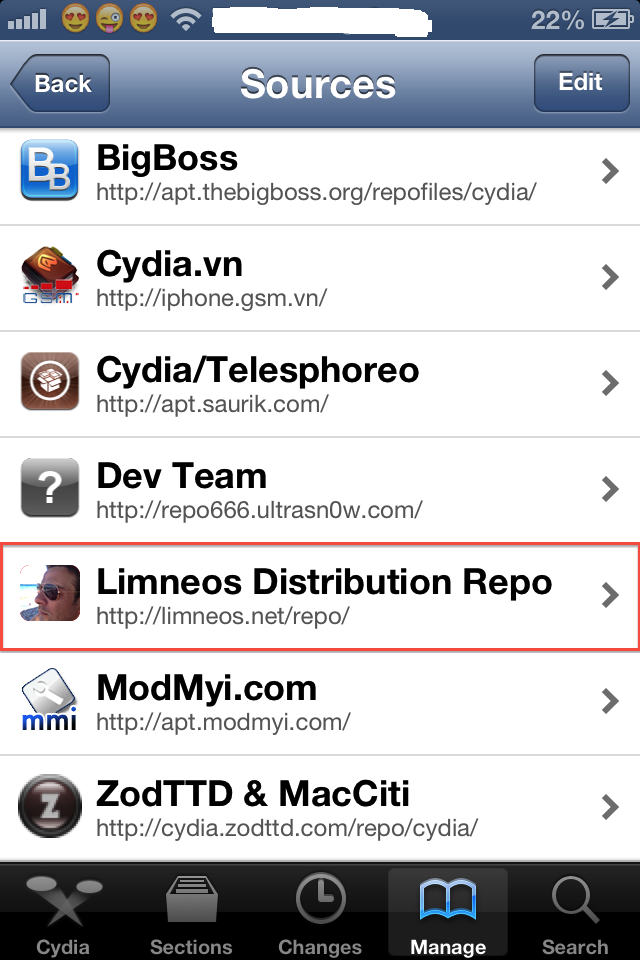
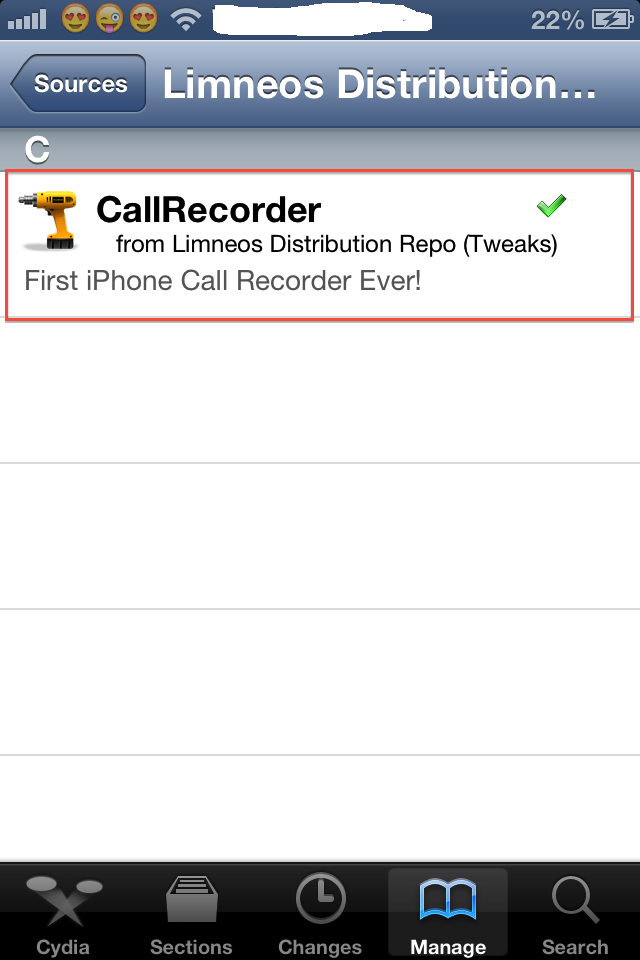
Step 3: After the installation is completed, go to your iPhone Settings > Find Call Recoder
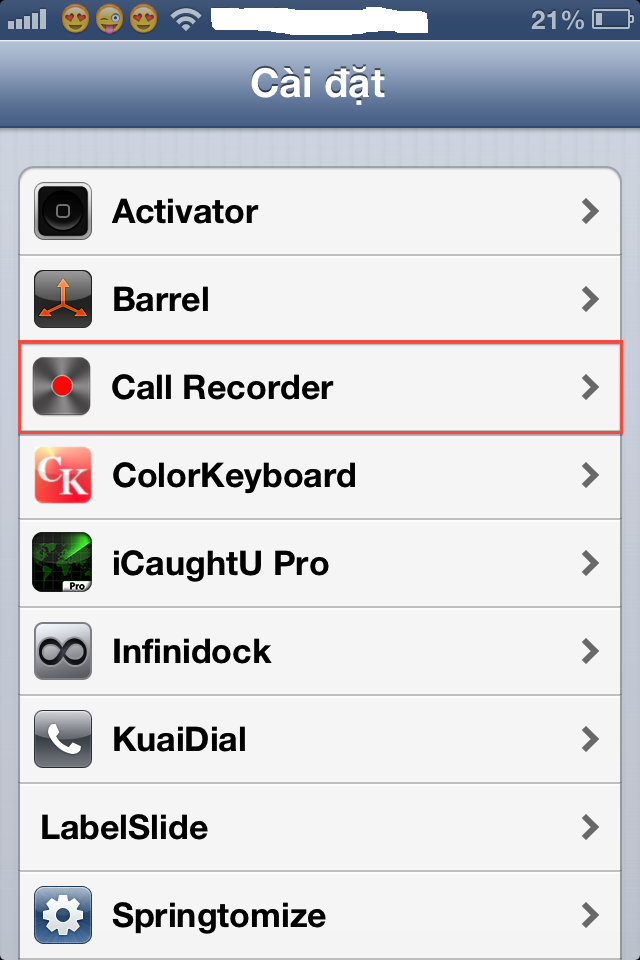
Step 4: You will see a popup, that’s the terms of use. Carefully read it and accept it.
Step 5: Turn on Call Recoder.
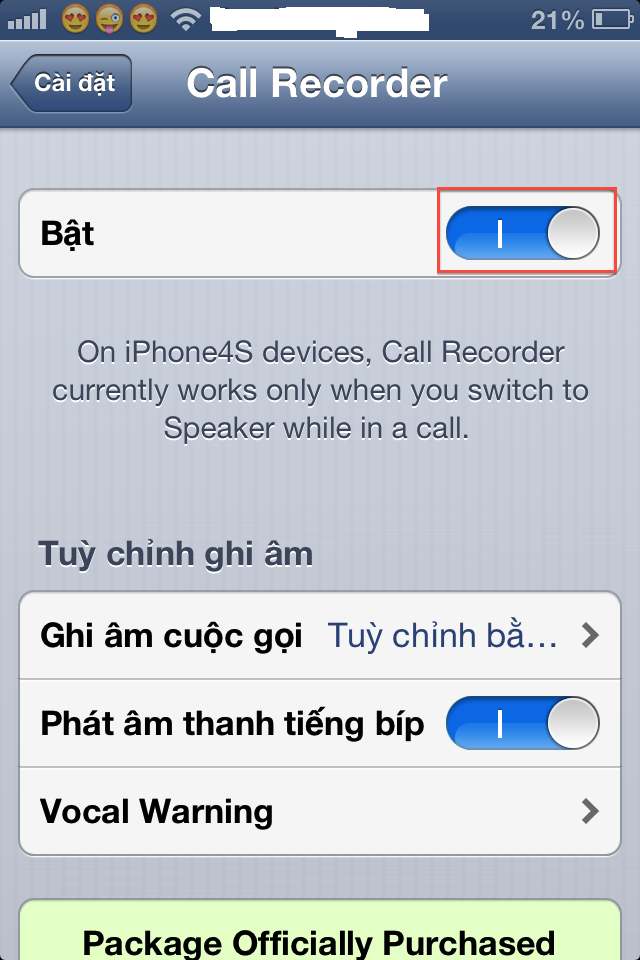
Step 6: Enjoy recording your phone calls directly. If you have any trouble installing or any concern just comment below.
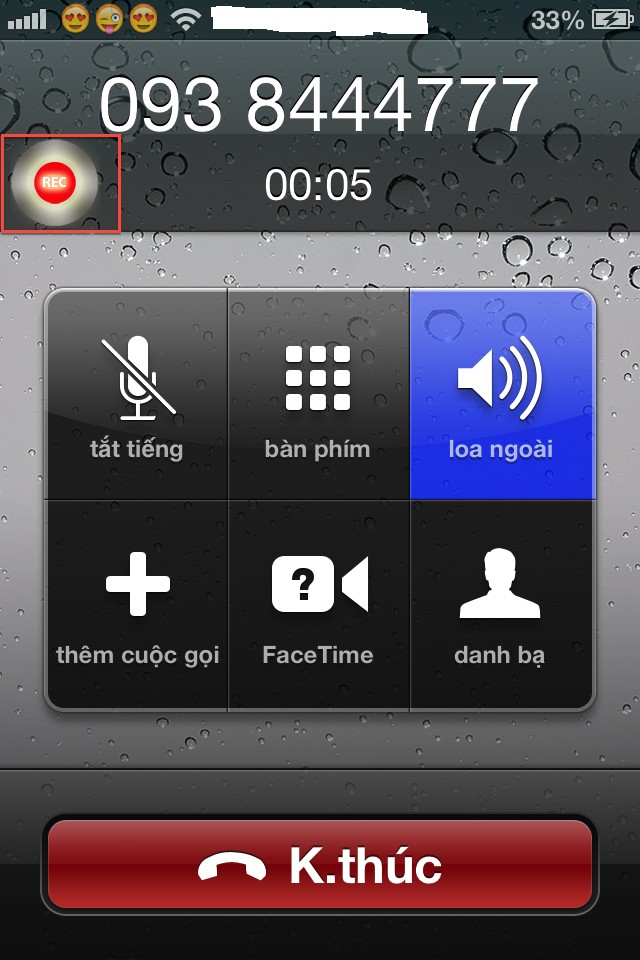
Note: Only works on iPhone 4S if you turn on the speaker.

Most wanted:
audio recorder source cydia, call recorder for iphone 3gs cydia, audio recorder cydia, call recorder iphone 3gs cydia, how to record phone calls on iphoneComments
Related posts:
- How to change the Call button text using CalliFy
- Strife: Windows Phone 7 theme for iPhone/iPod Touch running iOS 6
- How to unlock iPhone 5, iPhone 4s, iPhone 4 running iOS 6.1.4 with Heicard
- Luna is now live in Cydia, Download Luna for iPhone, iPod touch, and iPad
- How to install paid apps/tweaks on cydia for free with Cydia HeaveniPhone

0 comments… add one